How to Activate Pro
Your license key is in your receipt email. Follow the steps below — it takes less than 2 minutes.
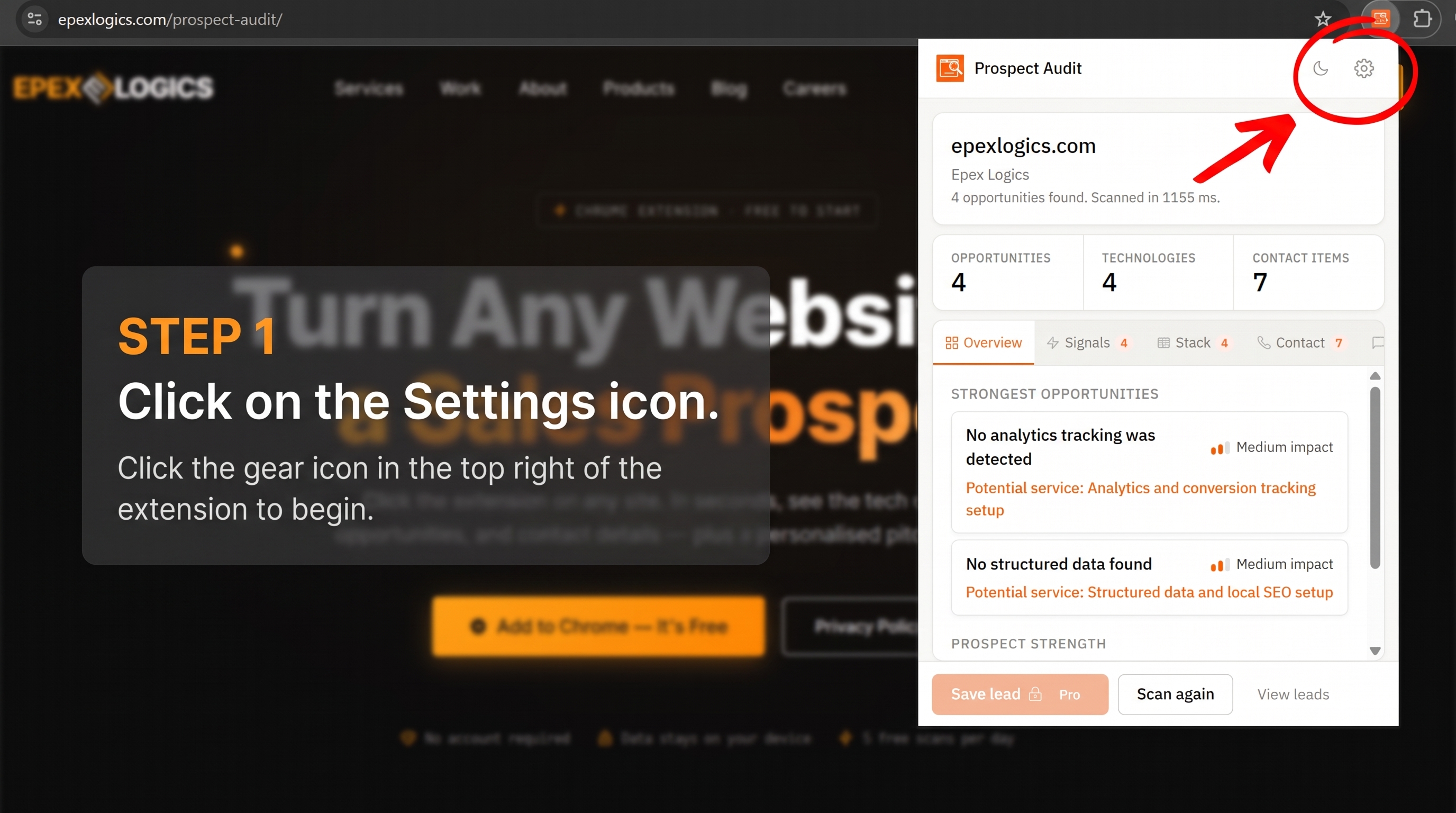
Click the Prospect Audit icon in your Chrome toolbar to open the popup. Then click the gear icon (⚙) in the top-right corner to go to Settings.
Check your receipt email from Lemon Squeezy. Your license key will be clearly shown — copy it to your clipboard.
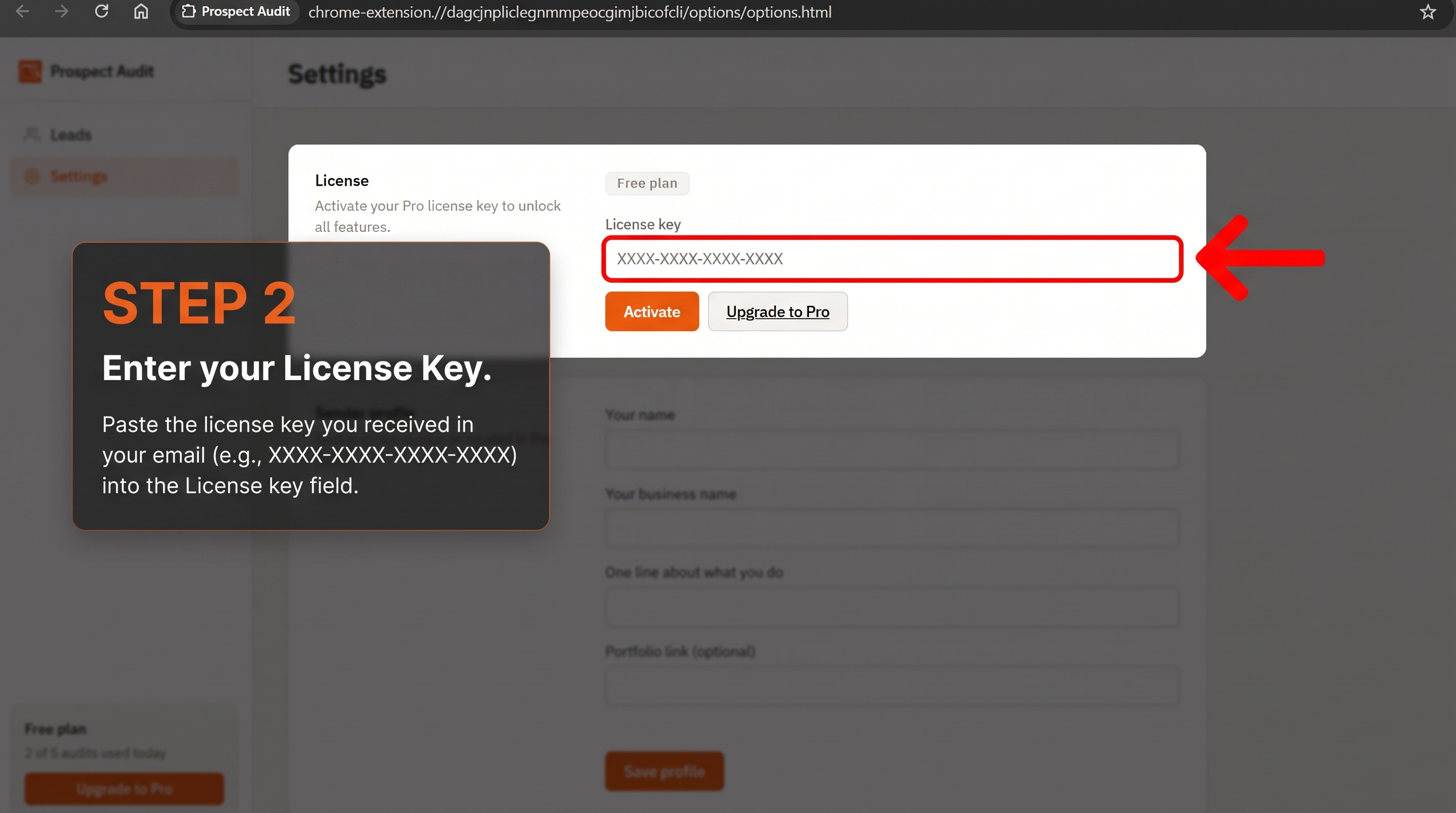
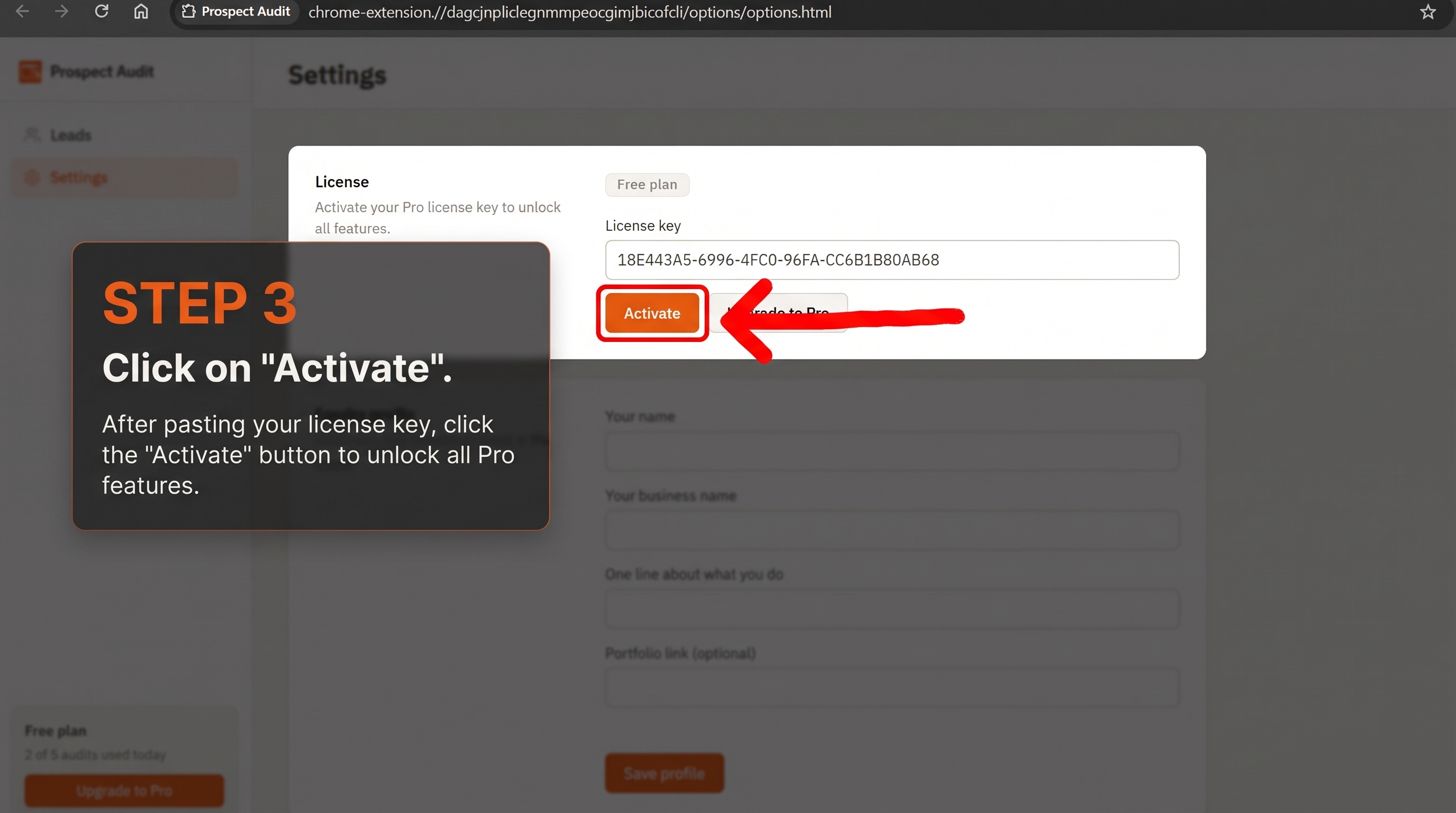
In the Settings page, paste your license key into the License field and click Activate.
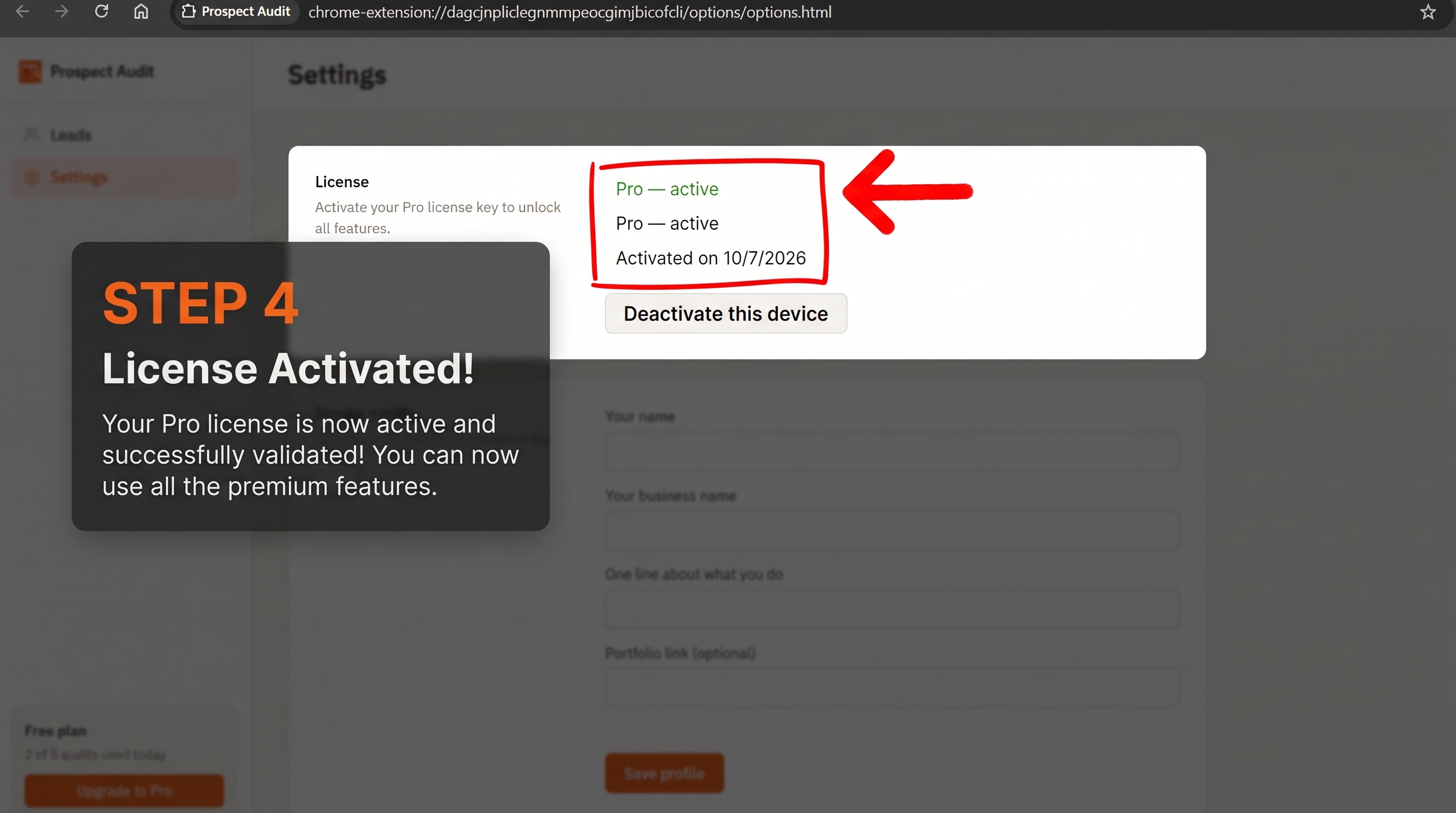
You'll see a Pro Active confirmation. Unlimited scans, pitch generation, lead saving, and CSV export are all unlocked instantly.
Good to know
Need more help?
Visit the support page or email us directly — we respond within 24 hours.